Inspect Log Details
Select any event in the timeline to open its detail panel without leaving the log viewer. The selected row remains highlighted so you can keep its position in the surrounding sequence.
Every detail panel provides:
- the event type and full timestamp;
- a device summary with model, OS version, application version, and build when available;
- Copy Link, which creates a URL that opens this event directly;
- previous- and next-event buttons;
- a close button. You can also press Esc.
From the application-wide Logs view, the device summary can also provide View device logs to open the same event in its single-device timeline.
Regular log details
A regular application log shows its full message and the metadata supplied by the SDK:
- level and tag;
- source file and line;
- method and URL;
- thread ID and thread name;
- full timestamp;
- application version, build, OS version, and language.
Fields that were not supplied by the SDK appear as n/a.
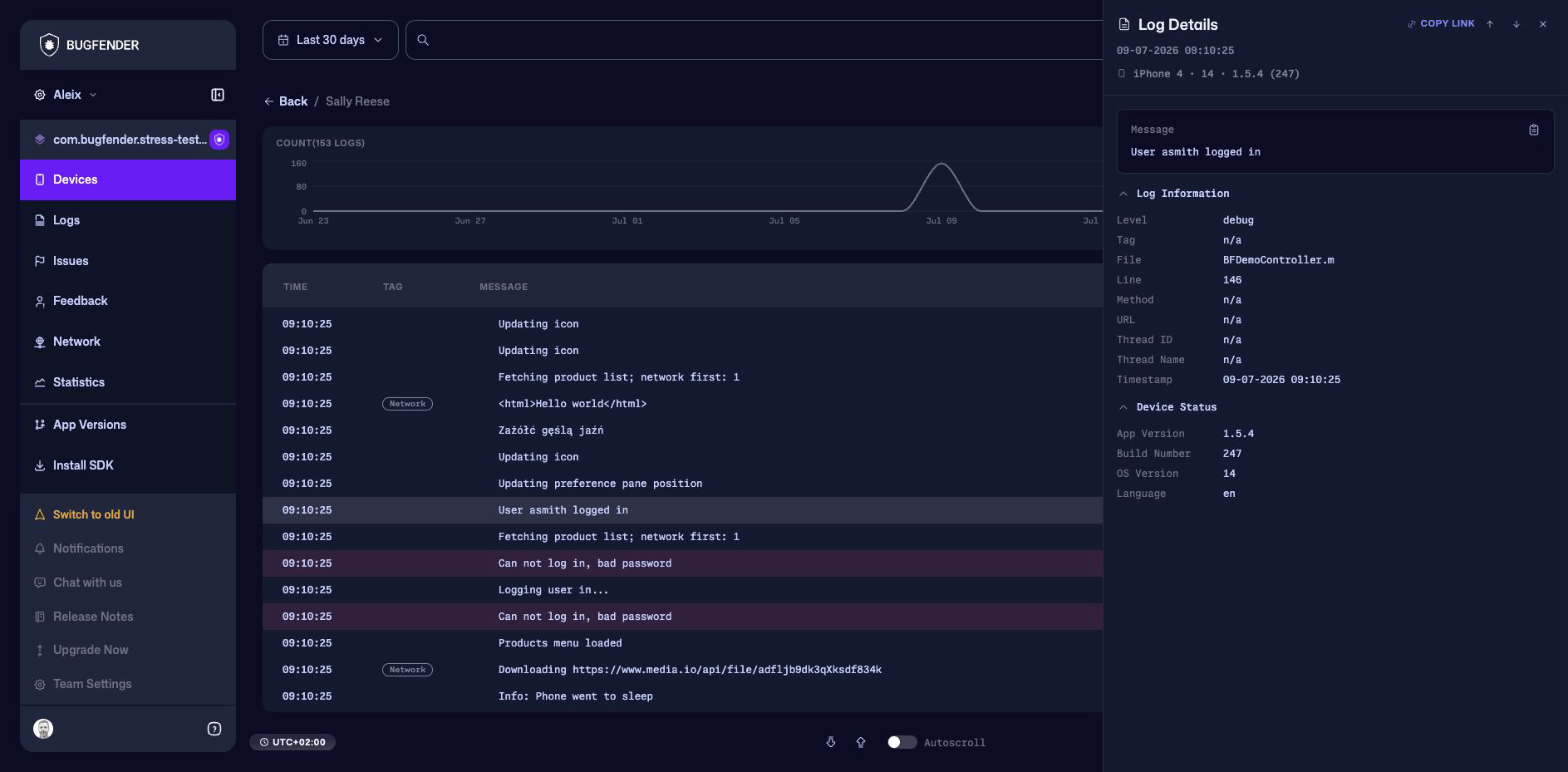
Example
If a row only says User asmith logged in, open it to confirm where it came from. File and Line can identify the call site, while Thread Name can show whether it ran on the expected thread. Device Status confirms which application and OS version produced it.
Network request details
Network events expose request information directly in the log viewer:
- method, URL, endpoint, domain, and status code;
- request and response sizes;
- total duration;
- request and response headers;
- DNS, connection, TLS, time-to-first-byte, and download timings when captured;
- request and response bodies when captured;
- device status.
Use the copy control beside the request to copy its URL. The status, method, and duration also appear on the timeline row for quick scanning.
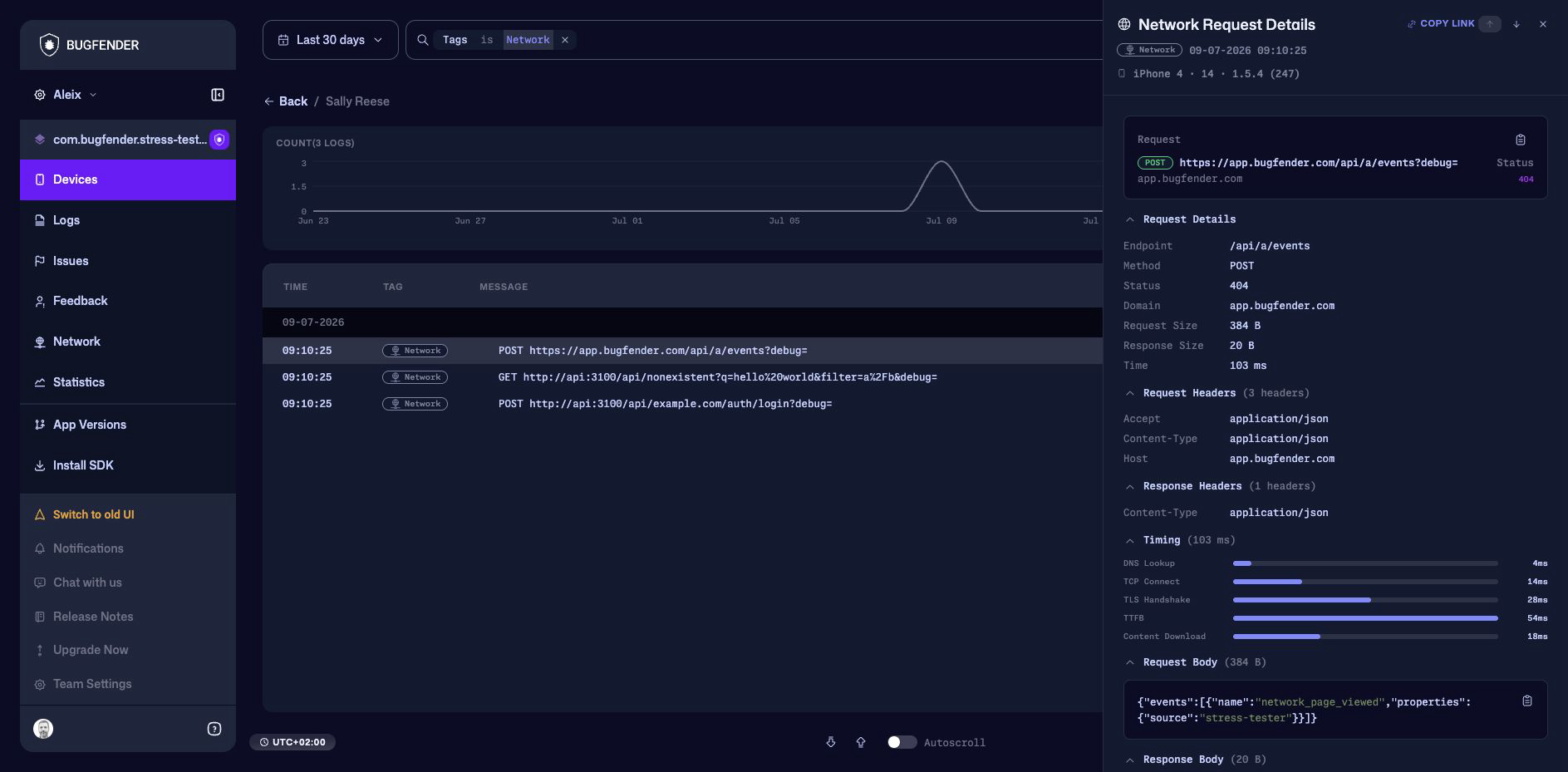
Headers and bodies can contain credentials or personal data. Configure your application to redact sensitive values before they are captured, and review a log before sharing its link or export.
Other event details
| Event type | Detail panel |
|---|---|
| Crash | Crash title and report, report download, symbol or mapping status, occurrences, affected devices, first and last seen times, device status, and Open/Closed status. |
| Issue | Issue message, occurrences, affected devices, first and last seen times, device status, and Open/Closed status. |
| Feedback | The submitted message, device status, and Open/Closed status when the report is tracked as an issue. |
| Network | Request metadata, headers, timing, captured bodies, and device status. |
| Regular log | Message, source and thread metadata, timestamp, and device status. |
Crash details can open the symbol-upload flow when mappings are missing. Use the application’s App Versions view to manage release artifacts more broadly.